


OpenPhone Reviews: What Customers Like and Dislike


Written by:
Published:
February 6, 2026
If you’re in the market for an affordable virtual phone system, you’ve likely come across OpenPhone. With its promise of simple setup and handy integrations, OpenPhone attracts many startups and remote teams. But user reviews tell a mixed story. We’ve done the research and will break down what customers actually like, and where OpenPhone falls short, based on real feedback from sources like G2, TrustRadius, and Trustpilot.
What Makes OpenPhone Stand Out
OpenPhone’s appeal centers mostly around a few accessible features and practical benefits:
Easy Setup and Onboarding
Many customers mention that setup is quick and hassle-free. The platform’s Salesforce integration is frequently noted; one G2 reviewer shared, “Set-up took minutes, not hours. Implementation was very straightforward.” However, while integrations like Salesforce are available, they’re really tailored for larger teams or organizations with existing enterprise-level systems in place. For smaller businesses or those not already committed to platforms like Salesforce, these features may feel unnecessary or add extra complexity.
Clean, Modern Interface
OpenPhone makes a strong impression with its sleek design. The web portal is praised for being easy to navigate and user-friendly. Features like integration with Slack and Zapier, and CRM qualification options add immediate value for teams wanting simple communication tools.
Pricing Transparency
OpenPhone positions itself as a cost-effective solution for businesses that need just the basics. While their plans tend to be priced a bit higher than some other VoIP providers, this may appeal to those who equate price with quality. However, many advanced features—such as in-depth call management, robust integrations, or dedicated customer support—may require an upgrade to higher-tiered plans. For organizations that want to be sure they’re getting the best value for their investment, it’s a good idea to closely compare what’s included in each plan against alternative options on the market.
Basic Functionality for Messaging
For businesses relying more on text than voice, OpenPhone delivers. Users find it useful for everyday client communication, transactional texts, and some promotional messaging.
Where OpenPhone Falls Short
While OpenPhone’s strengths are genuine, the negatives loom large in many reviews and can quickly overshadow the pros.
Call Quality and Reliability Problems
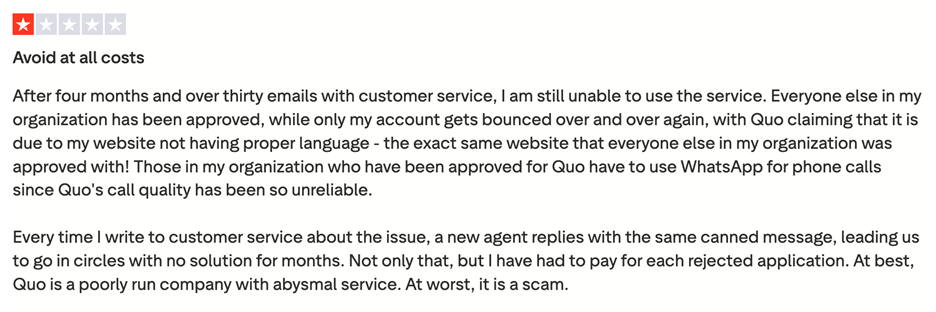
One of the top complaints is inconsistent or unreliable call quality. Users frequently mention issues such as dropped calls, lag, and other audio problems. As one reviewer explained, “Those in my organization who have been approved for Quo have to use WhatsApp for phone calls since Quo’s call quality has been so unreliable.” This has prompted some customers to seek alternative communication platforms just to ensure their business calls are not disrupted.
Customer Support Issues
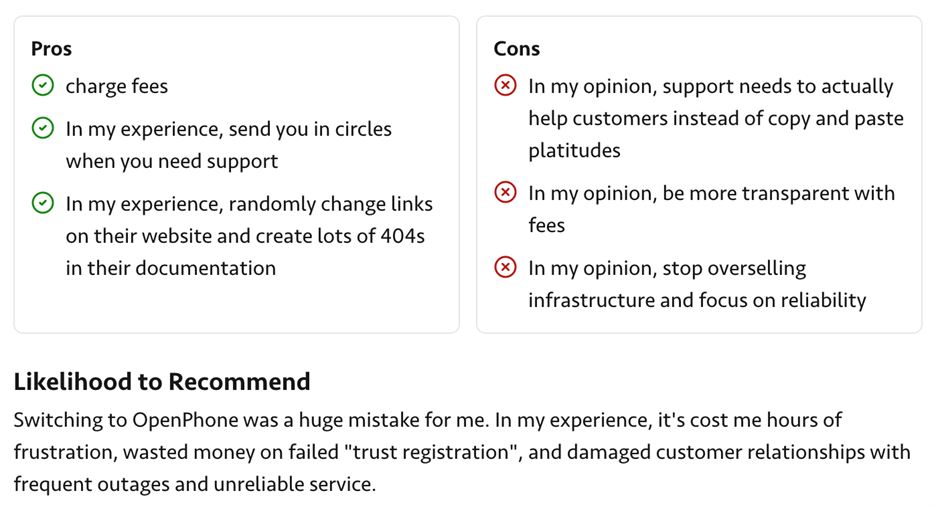
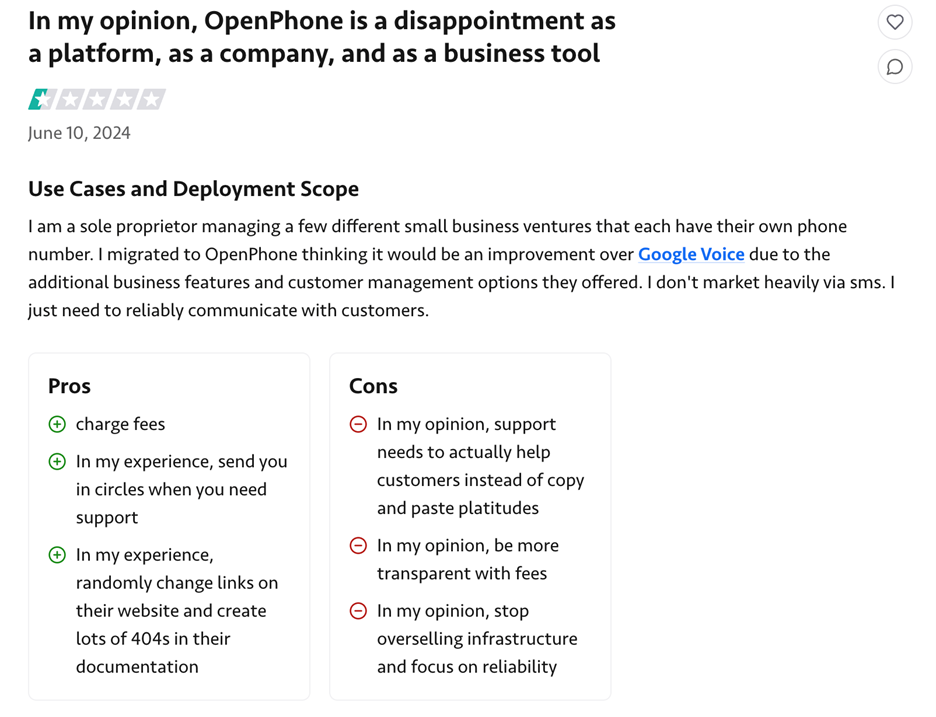
The support experience is frequently described as frustrating or ineffective. Most reviewers mention that answers come slowly, if at all, and too often via canned email responses. One TrustRadius user commented, “Support needs to actually help customers instead of copy and paste platitudes.” Others report waiting days for replies and going in circles with unresolved issues.
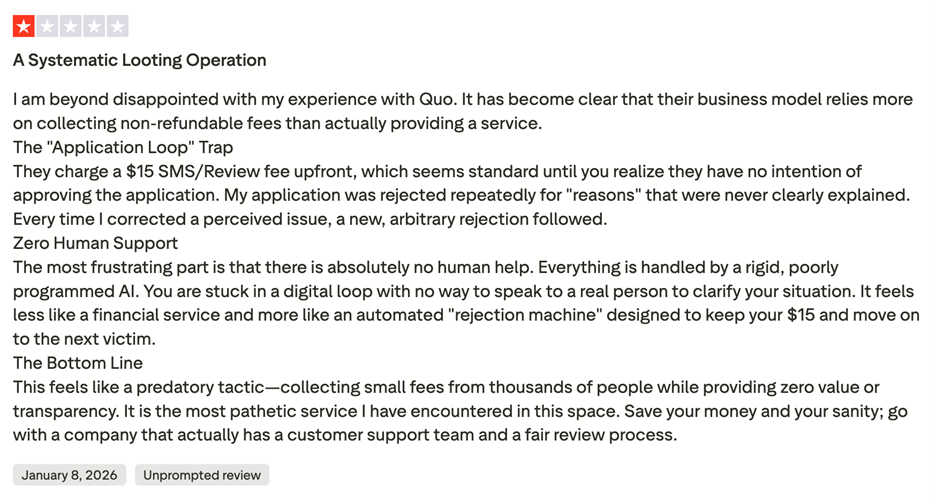
This sentiment is echoed in public reviews, where users have cited “zero human support” and described the process as “being handled by a rigid, poorly programmed AI.” One notable complaint described being “stuck in a digital loop with no way to speak to a real person,” making the service feel “less like a financial service and more like an automated ‘rejection machine.’” The lack of transparency and inability to resolve problems through direct human interaction has left some users feeling disappointed and calling the service “the most pathetic... encountered in this space."
Confusing, Inflexible Pricing and Billing
Frustration with billing is another frequent theme. Several users want more customizable plans fitting their actual needs—especially solo business owners. Complaints include confusing fees and an inflexible plan structure. On TrustRadius: “Be more transparent with fees.”
Onboarding and Account Management Hassles
To begin using Quo’s service, customers must first go through an account approval process, which involves submitting an application and paying a non-refundable $15 SMS/review fee. Many users report that this process is far from straightforward, with repeated application rejections for reasons that are often unclear or not fully explained. As one reviewer described, “My application was rejected repeatedly for ‘reasons’ that were never clearly explained. Every time I corrected a perceived issue, a new, arbitrary rejection followed.”
This has led some customers to feel they're trapped in a seemingly endless loop of email exchanges, without progress toward full approval. As another user put it: “Still unable to use the service after months of emails.” For some, what should be a simple onboarding step turns into a weeks- or even months-long ordeal, leaving them unable to access the service despite their efforts.
Real Customer Quotes
“Switching to OpenPhone was a huge mistake. It’s cost me hours of frustration, wasted money on failed ‘trust registration’ and unreliable service.” (TrustRadius)
“No solution for months… At best, OpenPhone is a poorly run company with abysmal service.” (Trustpilot)
“Pricing could be lower.” (G2)
The Bottom Line
OpenPhone stands out for its intuitive design, quick login, and modern design. However, for business owners who rely on consistent call quality, excellent support, and smooth onboarding, user feedback paints a cautionary picture. While some startups make OpenPhone work for basic texting or casual calls, many find themselves frustrated with technical issues, unresponsive customer service, and inflexible pricing.
Before you commit to OpenPhone for your business, dig into the details—and consider alternatives with stronger reliability and customer support, such as Grasshopper. Trying Grasshopper gives you the chance to experience a phone system designed with business needs in mind, so you can focus on growth rather than troubleshooting.